Share print and document templates with other businesses and adopt them with a single click
Overview
In the Document Designer, finished templates can be shared with other BISpicy businesses and their templates can be adopted with a single click — for all document types (invoice, delivery note, quote …) and future types automatically.
Only the layout/design is shared (elements, margins, letterhead style) — never customer, price or business data. This way you benefit from the design know-how of other businesses without sensitive content changing hands.
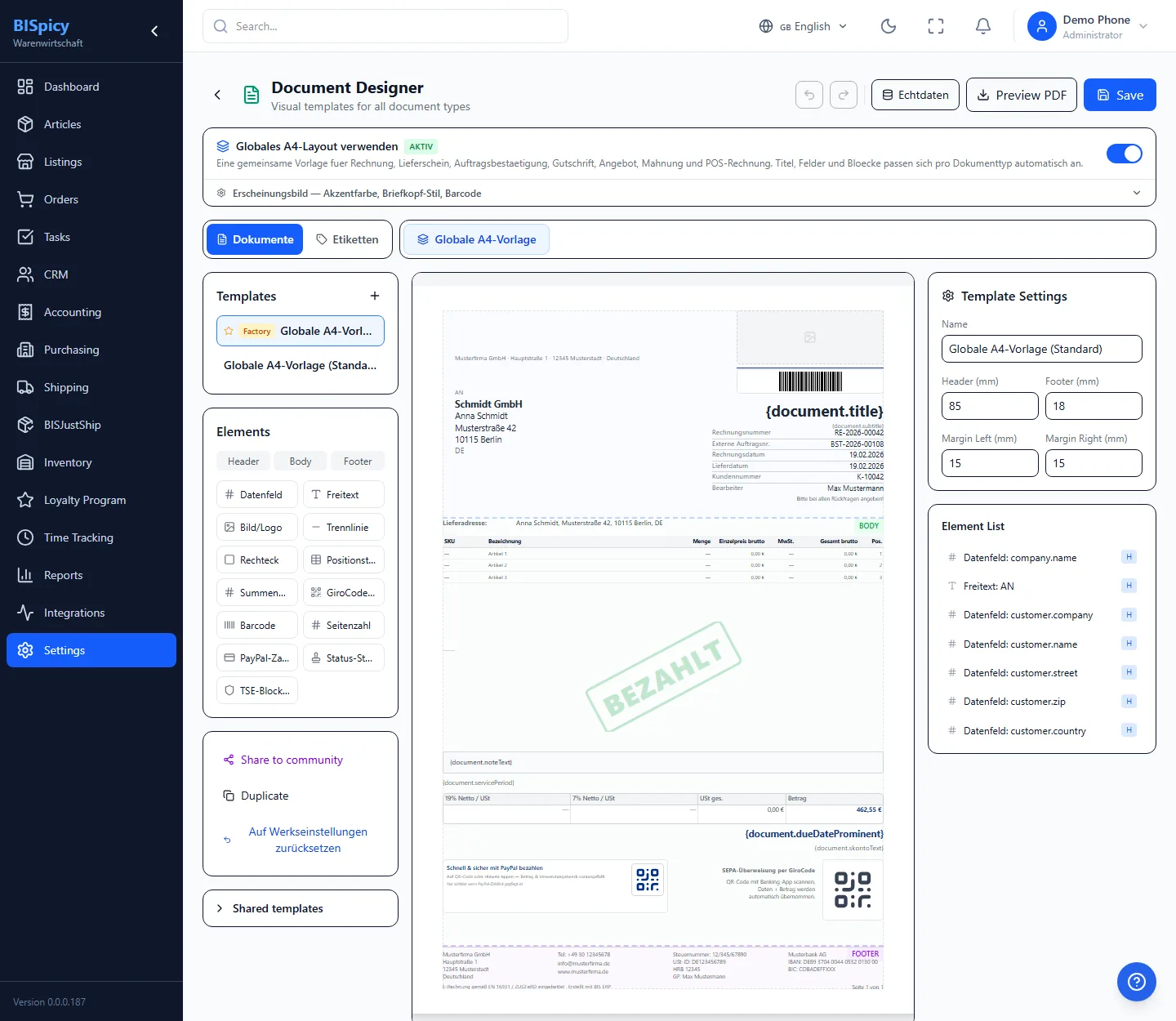
The Document Designer: “Share with community” on the left and the “Shared templates” panel.
Share a template
1Open the designer & choose a template: Navigate to Settings → Design Studio and click the template you want to share on the left.
2Share with community: Click “Share with community” — the share dialog opens.
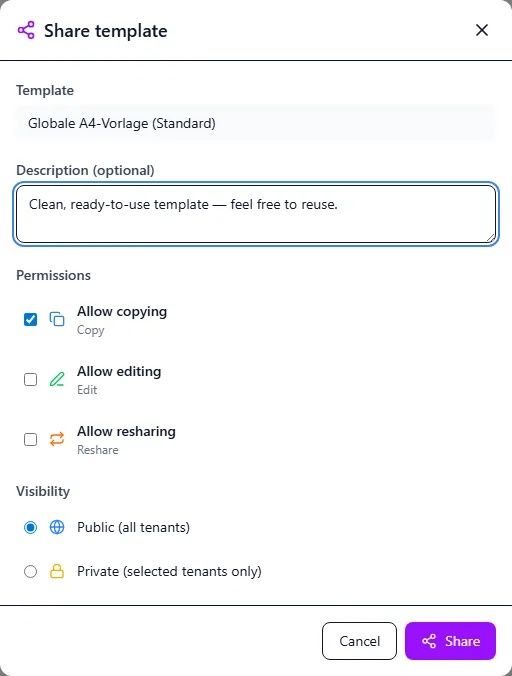
Set the description, permissions and visibility in the share dialog.
3Permissions & visibility: Enter a description and choose the permissions (allow copying / allow editing / allow re-sharing). Set the visibility — Public (all businesses) or Private (only businesses selected via referral code) — and confirm with “Share”.
Tip: When sharing privately, enter the referral code of the target business — only that business will then see the template.
Adopt from the community
1Open shared templates: Expand the “Shared templates” panel at the bottom left.
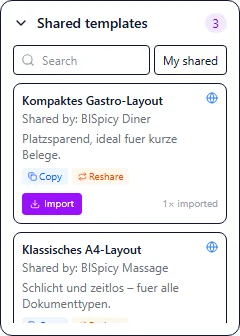
Available community templates with owner, permissions and “Import”.
2Find a suitable template: Use search and filters — the templates shown match the document type you are currently editing. Then click “Import”.
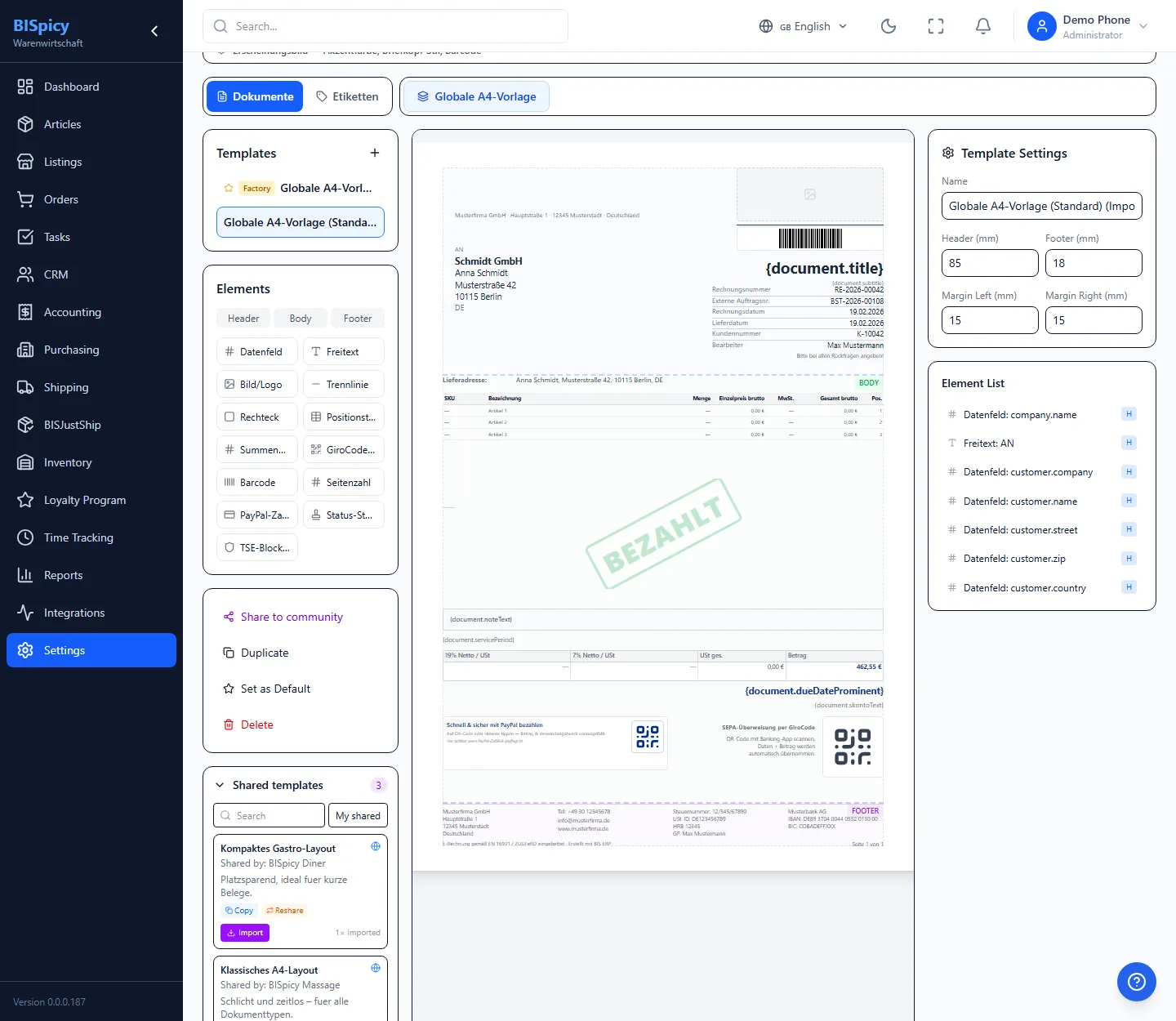
3As your own copy: The template appears as your own, freely customizable copy in your template list. The other business's original remains untouched.
After adopting it, the template is ready as your own copy.
Visibility & permissions
When sharing, you decide for yourself who sees your template and what they are allowed to do with it:
Public: The template is visible to all BISpicy businesses and can be found by them.
Private: The template is only visible to the businesses you specifically add via referral code.
In addition, three permissions control what other businesses may do with the template:
📄 Allow copying
✏️ Allow editing
🔁 Allow re-sharing
Data protection: Only the layout is shared (elements, margins, letterhead style), no content or data. Your customer, price and business data only appear when you print your own documents.
As the owner you can end a share at any time via “Withdraw”. Copies already adopted by other businesses remain in place with them.
Frequently asked questions
Only the layout/design of the template (elements, margins, letterhead style). Never customer, price or business data — when printing, each business inserts its own data.
All document types: invoice, delivery note, quote, credit note, order confirmation, payment reminder, pro forma, price label, storage location label — and future types automatically.
Public: visible to all BISpicy businesses. Private: only for businesses you add via referral code.
Yes. It is created as your own copy and is freely editable; the other business's original remains untouched.
No. Only the empty layout is shared; your data only appears when you print your own documents.
Yes, as the owner at any time via “Withdraw”. Copies already adopted by others remain in place with them.